Computer Recycling & IT Asset Disposition
Business Computer Recycling and IT Asset Disposition: The Complete Guide
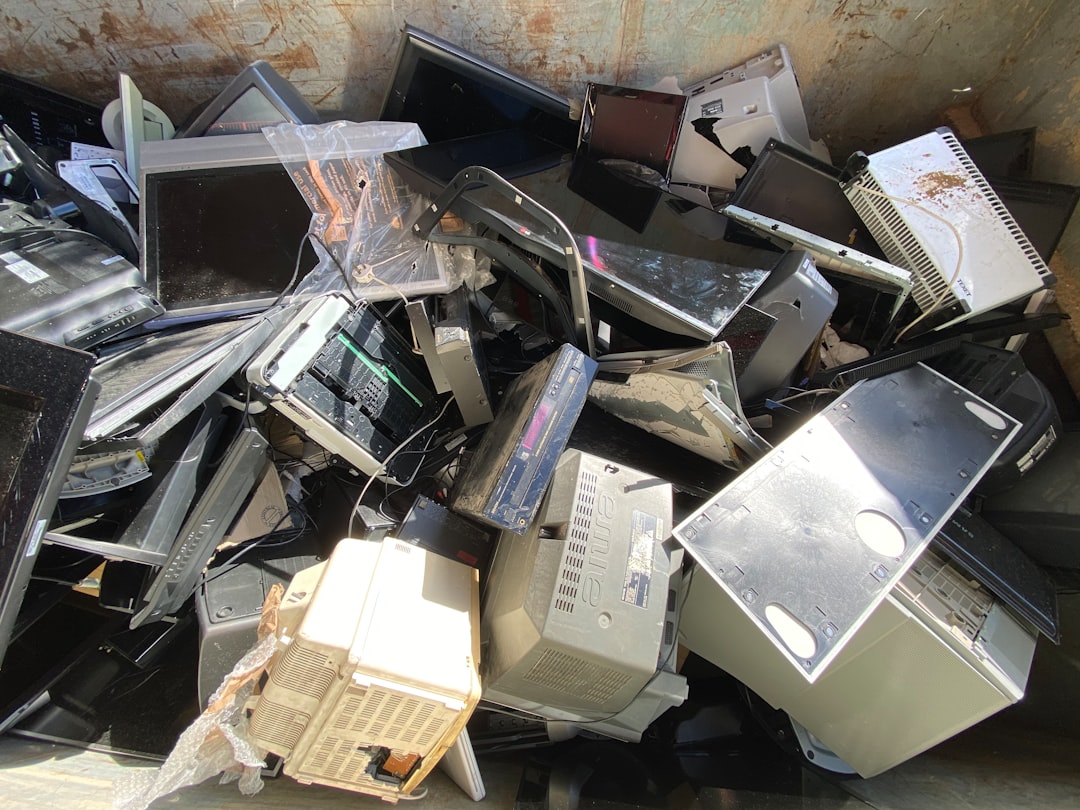
Business computer recycling is more than moving old equipment out of an office. Retired IT assets can contain sensitive data, reusable components, resale value, batteries, hazardous materials, and records the organization may need to document.
A mature process evaluates each asset for secure handling, reuse or value recovery, and responsible downstream recycling.
Business Computer Recycling and IT Asset Disposition
IT asset disposition (ITAD) is the structured process for retiring computers and other technology at the end of their useful life. Depending on the organization, ITAD can include:
- inventory and serial tracking;
- pickup and logistics;
- data sanitization or destruction;
- testing and grading;
- reuse or resale;
- donation;
- component recovery;
- recycling;
- certificates and reporting.
The appropriate depth depends on asset value, data sensitivity, regulatory requirements, and project size.
Common Business Equipment
Projects can involve:
- desktop computers;
- laptops;
- servers;
- hard drives and SSDs;
- network switches and routers;
- monitors;
- phones and tablets;
- printers and scanners;
- cables and peripherals;
- UPS units and batteries.
Acceptance rules vary by recycler and downstream partner. CRTs, damaged lithium batteries, large copiers, televisions, or specialized industrial/medical equipment may require advance approval or separate pricing.
Data Security Comes First
Storage devices can contain customer records, employee information, financial data, credentials, proprietary files, and other sensitive information.
NIST published SP 800-88 Rev. 2, Guidelines for Media Sanitization, in September 2025, superseding Rev. 1. The standard focuses on selecting sanitization methods based on media type, confidentiality requirements, and organizational risk.
Businesses should define whether they need:
- logical sanitization;
- cryptographic erase where appropriate;
- physical destruction;
- serialized certificates;
- chain-of-custody records.
Do not rely on old marketing phrases such as “DoD three-pass wiping” as a universal modern standard.
Sanitization vs. Physical Destruction
Sanitization can allow a functional device to be reused, preserving more economic and environmental value. Physical destruction may be appropriate when policy, media condition, data sensitivity, or downstream requirements call for it.
The correct method should be chosen based on risk and the type of storage media, not habit.
Reuse Before Recycling
A three-year-old business laptop may have more value as a refurbished computer than as scrap. Before destroying equipment, evaluate:
- age;
- processor and memory;
- condition;
- storage;
- battery health;
- resale demand;
- repair cost;
- data-security requirements.
Reuse, resale, or donation can preserve value when security and organizational policies allow it.
What Are R2 and e-Stewards?
The U.S. EPA recognizes two accredited certification standards for electronics recyclers: R2 and e-Stewards. Certification can provide additional assurance around environmental, health/safety, data-security, and downstream-management practices.
A company that is not itself certified should not claim R2 or e-Stewards certification. Instead, it can use or require an appropriately certified downstream recycler when the project requires that standard.
Why Downstream Partners Matter
The recycler that picks up equipment may not perform every final processing step itself. Responsible disposition requires understanding where equipment and materials go next.
For higher-risk projects, ask:
- Who handles data-bearing devices?
- Which facilities receive material?
- Are downstream processors certified?
- How are batteries handled?
- What documentation is provided?
Free Pickup vs. Quote-Based Services
Some business recycling pickups can be free when equipment quantity, type, condition, location, access, and recovery value support the economics.
Specialty projects may require a quote because they involve:
- large labor requirements;
- stairs or difficult access;
- deinstallation;
- low-value or costly materials;
- CRTs or batteries;
- secure destruction;
- detailed inventory/reporting;
- long-distance travel.
Nacluv Tech uses the model Free Qualifying Pickups / Specialty Services Quote-Based. Eligibility is confirmed before scheduling.
Prepare for an IT Equipment Pickup
- Create an approximate equipment list.
- Separate data-bearing devices if policy requires it.
- Identify batteries or damaged equipment.
- Remove leased or third-party property.
- Confirm building access and loading requirements.
- Define documentation needs.
- Confirm who is authorized to release the equipment.
Chain of Custody
For organizations with sensitive data, chain-of-custody records can document who handled equipment from pickup through sanitization, reuse, or recycling.
The required documentation should be agreed before the project. Do not assume every free pickup includes enterprise-level serialized reporting.
Value Recovery
Higher-value assets may support:
- direct buyback;
- resale;
- revenue share;
- refurbishment;
- parts harvesting;
- donation.
Value recovery can offset project costs, but resale value depends on condition and market demand.
Environmental Responsibility
Electronics contain valuable materials as well as components that should be managed responsibly. The EPA recommends using certified electronics recyclers, particularly for businesses and organizations seeking stronger assurance about downstream practices.
Common Recycling Mistakes
- sending data-bearing equipment out without a data plan;
- destroying valuable reusable equipment unnecessarily;
- assuming every recycler accepts every device;
- mixing damaged batteries into normal equipment;
- failing to document serialized assets;
- choosing a recycler solely on pickup price;
- claiming certifications the pickup provider does not hold;
- waiting until a major office move to plan disposition.
A Practical ITAD Workflow
Inventory → Pickup → Sort → Secure Data → Reuse/Recover Value → Recycle Remainder → Document.
That process protects information while avoiding unnecessary destruction of usable equipment.
The Bottom Line
Business computer recycling should combine data security, value recovery, responsible downstream processing, and practical logistics. The right approach depends on equipment type, data sensitivity, quantity, location, and documentation requirements.
Explore Nacluv Tech’s Computer Recycling Services to request a qualifying pickup or specialty-project quote.